Feature guide · v1.0.0
Handwriting Animation Video Maker features
Everything needed to turn text into animated handwriting scenes, from instrument selection and hand movement to templates, audio, multiple scenes and final export.
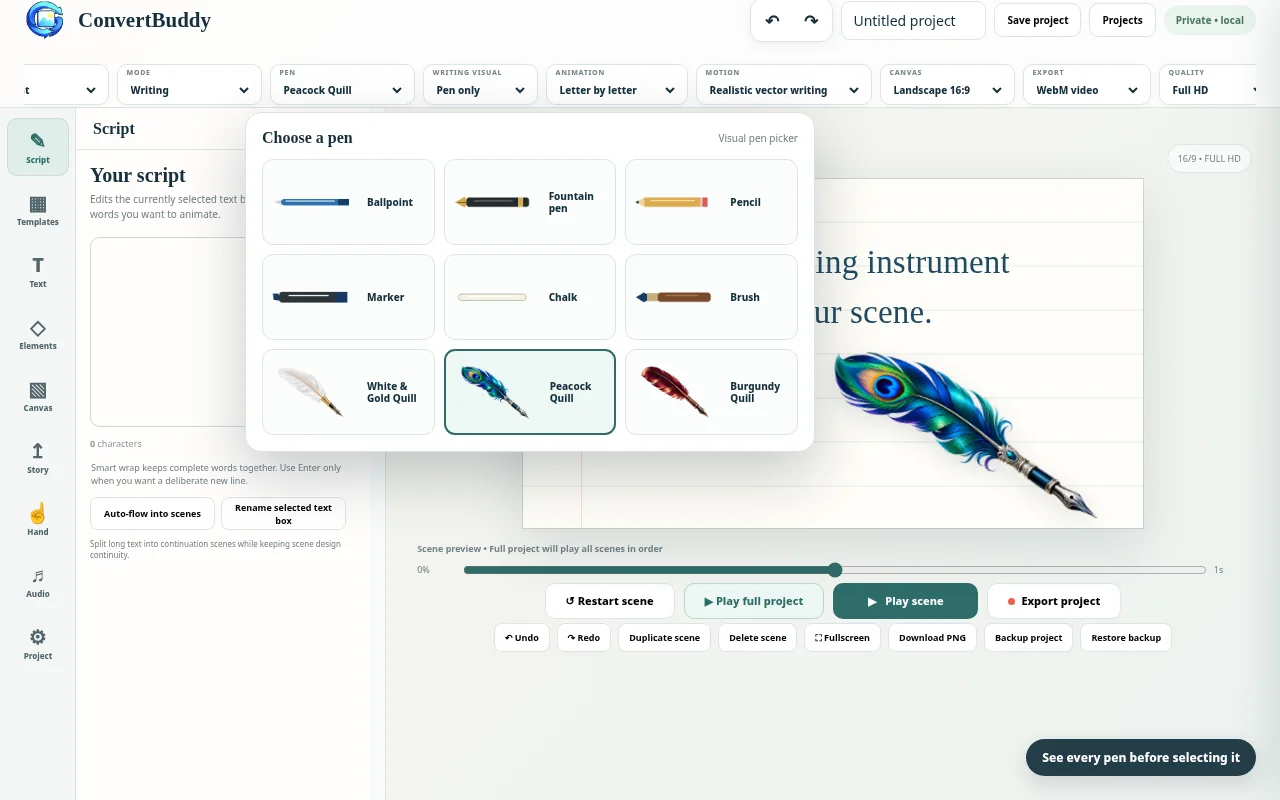
Visual instrument selection makes the active pen or quill easy to identify.
Writing animation controls
- Letter-by-letter, word-by-word, stroke-by-stroke and instant animation options.
- Realistic vector-writing and compatibility reveal modes.
- Writing speed and motion behavior designed for different presentation styles.
- Four handwriting alphabets/styles carried through scene projects.
Pens, pencils and feather quills
Choose from ballpoint, fountain pen, pencil, marker, chalk, brush and three illustrated quills: White & Gold, Peacock and Burgundy. The pen selector uses visual thumbnails, and the selected quill image is used during live writing, playback and export.
Hand + pen presentation
- Pen Only, Hand + Pen and Text Only visual modes.
- Masculine and feminine hand artwork, multiple skin-tone options and left/right-handed writing.
- Stable and more dynamic movement profiles with adjustable hand size.
- Instrument layers pass through the grip instead of looking detached from the fingers.
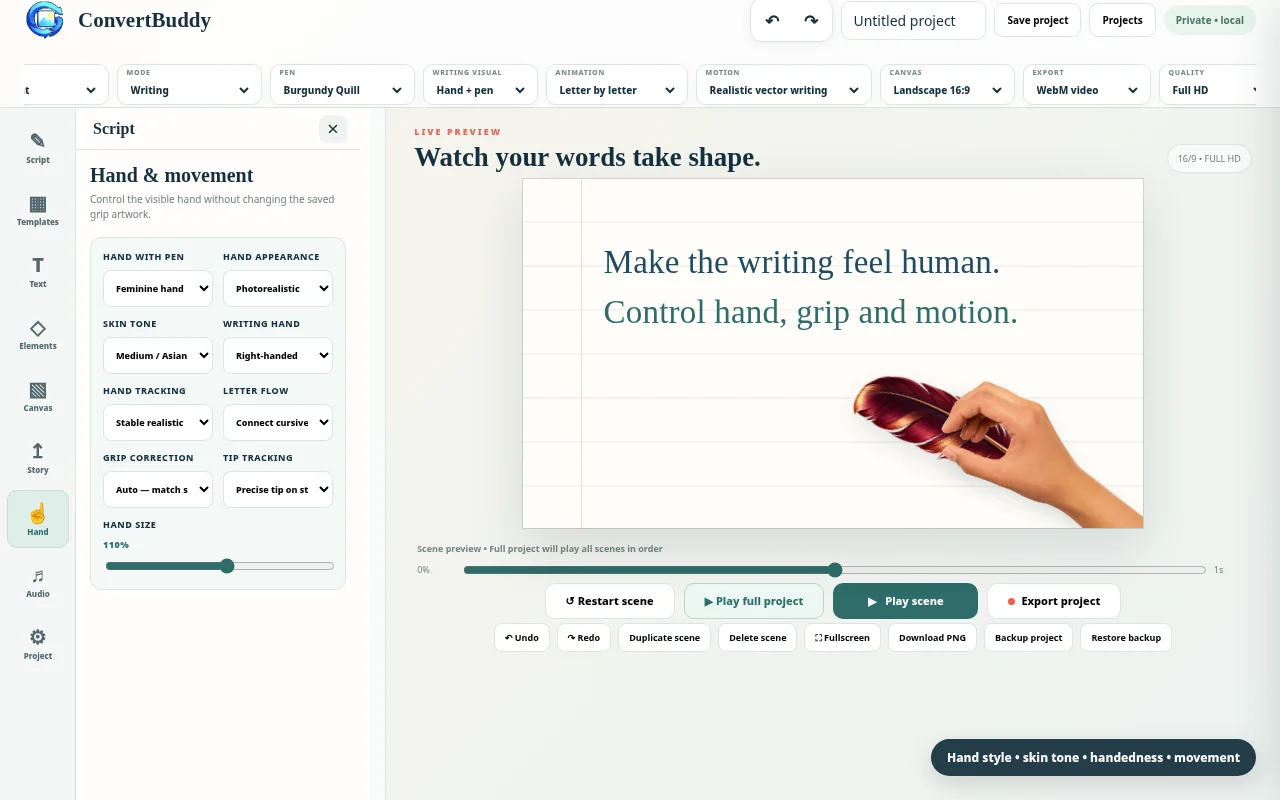
Hand appearance, writing motion and grip-related controls are part of the project workflow.
Canvas, text and scene design
- Landscape 16:9, vertical 9:16, square 1:1 and portrait 4:5 canvas ratios.
- Multiple text boxes per scene with selection, drag, resize, duplicate and alignment controls.
- Paper, slate, color, gradient and user-selected image backgrounds.
- Text color, line alignment, font size, bold, italic, underline and optional line highlights.
- Basic scene elements with simple entrance animations.
Projects, scenes and templates
Build multi-scene videos, duplicate or delete scenes, back up a project as JSON and restore it later. Templates give you a faster starting point for notes, quotes, stories, lessons and short-form video layouts.
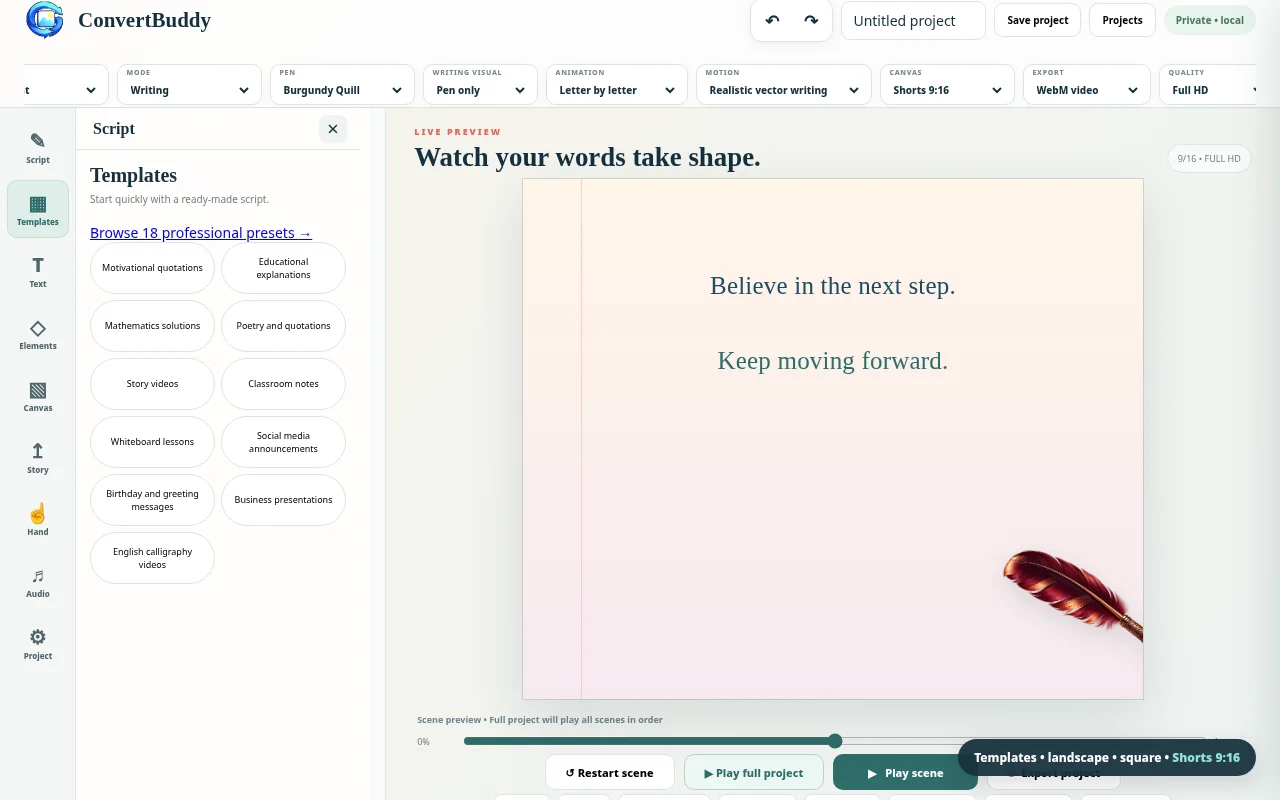
Templates and multiple canvas ratios help adapt handwriting animations for lessons and social video formats.
Export choices
| Video | WebM and MP4 where the browser encoder supports MP4. |
|---|---|
| Quality | Full HD and 4K options with dimensions adapted to the selected canvas ratio. |
| GIF | Animated GIF for multi-scene projects; GIF output does not contain an audio track. |
| Still image | High-quality PNG export for the current scene. |
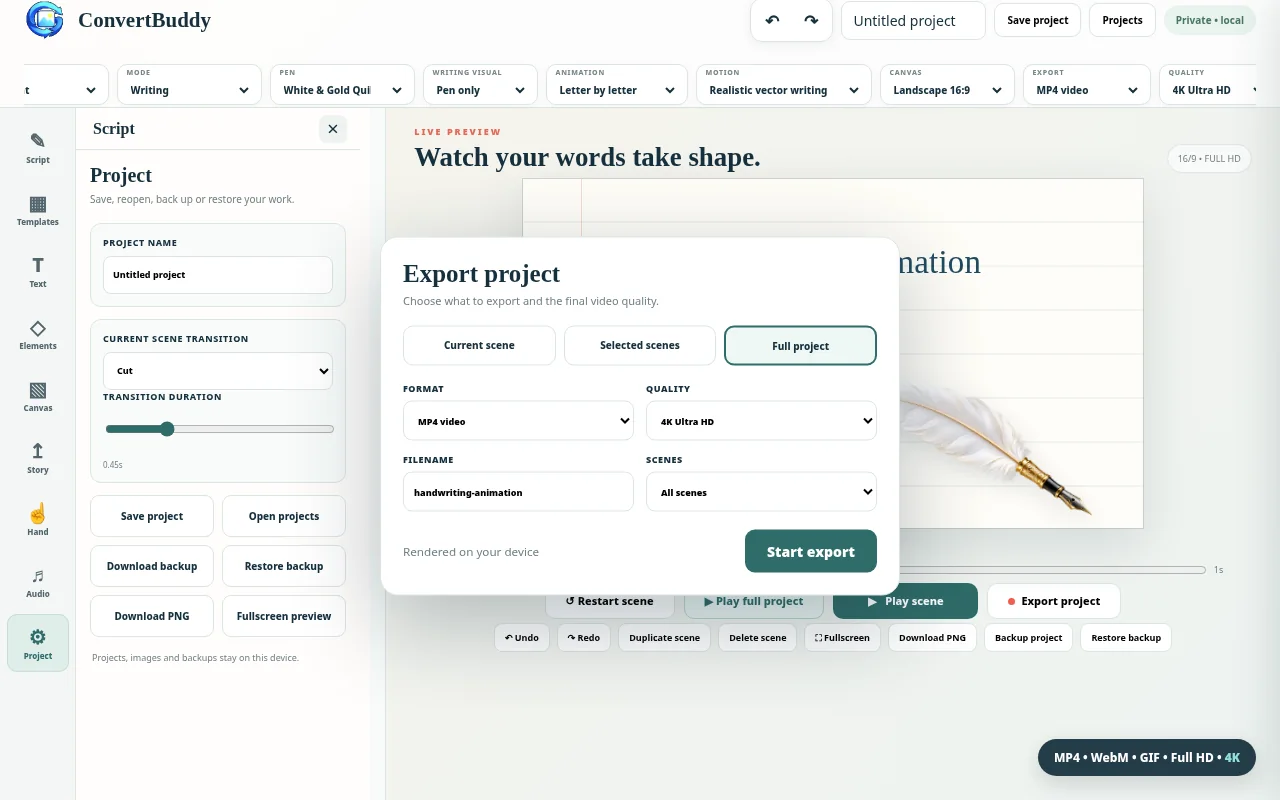
Choose the project range, export format and output quality from the final export panel.