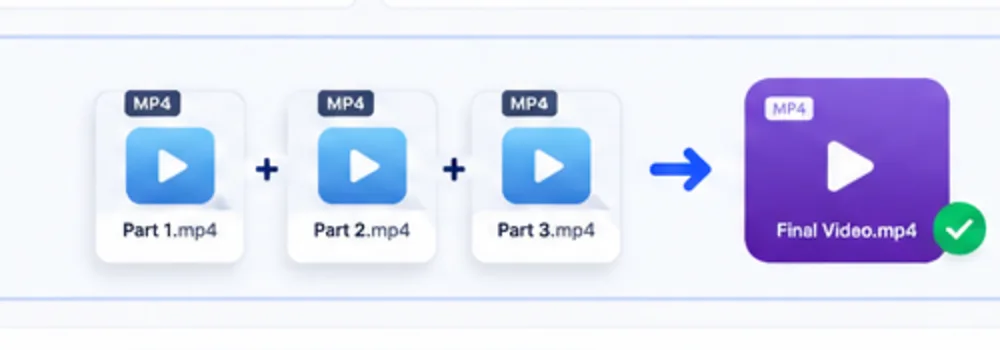
ConvertBuddy is designed for consecutive recording parts that use compatible video and audio settings. Add the parts in order, run the compatibility check, and save the joined MP4 directly to your chosen location.
Multiple matching video parts can be arranged in sequence and joined into one output file.For compatible streams, the fast join workflow avoids unnecessary full-video re-encoding.
Keep important original files and verify the joined result before deleting or replacing anything. Use of ConvertBuddy tools is subject to the Terms of Use.
How to join large video parts safely
ConvertBuddy Video Joiner is intended for video parts that belong to the same recording workflow and have compatible tracks. Add the files in playback order, let the tool inspect the streams, then choose the output location. When the source streams match, stream-copy joining can combine the parts without decoding and re-encoding every frame, which is substantially faster and avoids an additional generation of video quality loss.
Compatibility matters. Resolution alone is not enough: codec, track layout, frame timing and audio parameters can affect whether parts can be joined directly. Clips exported by different phones, editors or recording settings may need normalization in a full video editor before they can be concatenated reliably. Always play the joined result around every transition before deleting source files.
Best use cases
Split camera recordings, long screen recordings, sequential event clips and other parts produced with the same settings.
Why local joining helps
Very large videos do not need to be uploaded to ConvertBuddy before processing, reducing transfer time and keeping the files on your device.
When not to use fast join
If clips use different codecs, frame sizes or track structures, use an editor that can re-encode them to a common specification first.
HD, HDR and 4K are quality characteristics — not file formats
ConvertBuddy accepts compatible MP4, MOV and M4V containers. The clips inside those files may be 720p HD, 1080p Full HD, 1440p/QHD, UHD/4K or another matching resolution. HDR is a color and dynamic-range characteristic rather than a filename extension; compatible HDR parts can be joined when the codec, color configuration, resolution, timing and track layout match.
For a fast lossless join, all parts should normally come from the same camera, recorder or export preset. If the clips use different codecs, dimensions, frame timing, HDR/SDR color settings or audio layouts, normalize them in a video editor first and then join the matching outputs.
Video Joiner FAQ
Can I join HD, Full HD, HDR and 4K video parts?
Yes. Resolution is not limited to 4K. Compatible 720p HD, 1080p Full HD, 1440p QHD and UHD/4K clips can be joined. Matching HDR clips can also be preserved when their codec, color configuration, track layout and other stream settings match. Practical limits depend on your browser, hardware and available storage.
Are my videos uploaded?
The join workflow is designed to operate locally in the browser and save the output to a location you select.
Will joining reduce quality?
When compatible streams can be copied directly, the encoded video does not need a full re-encode. Incompatible files may require a separate transcoding workflow before joining.
Why can two MP4 files be incompatible?
MP4 is a container. The video/audio codecs, frame dimensions, timing and track structure inside the container can still differ.